Quirkus: A Bold Typeface for Creative Editorial Design
Choosing the Right Font for a Lifestyle Blog Redesign
As I sat down to refresh the look of a small lifestyle blog focused on minimalist living and creative routines, the first decision I knew would set the tone was the font choice. The blog’s voice was calm, intentional, and slightly whimsical—so I needed a typeface that could reflect that personality without sacrificing clarity or visual impact. That’s when I found Quirkus.
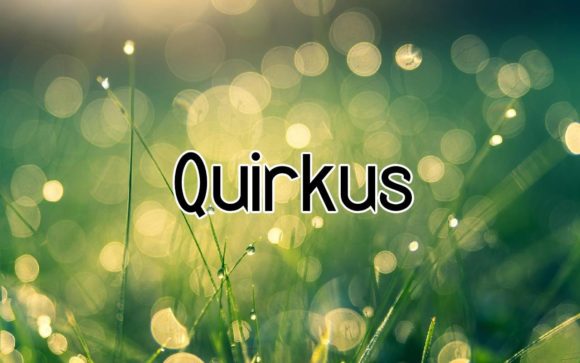
Quirkus is a bold and thick-lettered display font designed by Peter Wiegel. It has a playful yet grounded presence, making it ideal for projects that want to stand out while still feeling approachable. As I tested it in mockups for the blog’s header and article titles, I noticed how it brought a sense of warmth and confidence to the layout.
Quirkus in Editorial Layouts: From Headers to Chapter Openers
One of the first places I used Quirkus was in the blog’s header. It gave the title a strong visual anchor—something that felt intentional and editorial, not just decorative. I also tested it in chapter openers for a downloadable guide the blog offers on mindful productivity. The boldness of the font helped break up the content into digestible sections without overwhelming the reader.
Quirkus works especially well in contexts where visual hierarchy matters. Whether it’s an ebook cover, a newsletter header, or a printable planner page, this font commands attention in a way that feels organic. It’s not overly dramatic like some script fonts, nor is it too sterile like certain sans serif options. It strikes a balance between boldness and readability.
Understanding the Visual Rhythm of Quirkus
What sets Quirkus apart is its rhythm. The thick letterforms have a steady cadence that guides the eye smoothly across the page. It’s not a font you’d want to use for body text—its personality is too strong for that—but as a display font, it shines. I found it particularly effective in pull quotes and feature headers where I wanted to draw the reader in before easing them into the more traditional serif font used for body copy.
The mood of Quirkus leans toward the imaginative and slightly retro-futuristic. It’s easy to picture it on a sci-fi zine cover or a modern wedding guide. But in the context of a lifestyle blog or a coaching workbook, it brings a sense of creativity that doesn’t feel forced. It invites the reader into the content with a quiet confidence.
Best Uses for Quirkus in Content Creation
While Quirkus is a free font, it carries the quality of a premium font when used thoughtfully. Here are a few of the applications where it performed well during my testing:
- Blog Headers: Offers a strong brand presence without being too loud.
- Ebook Titles: Works especially well in covers for lifestyle or creative guides.
- Newsletter Graphics: Adds a personal, editorial touch to digital communications.
- Printable Planners: Gives structure and visual interest to section headers.
- Course PDFs: Makes chapter titles and learning objectives stand out clearly.
Because of its thick lettering, Quirkus is best reserved for titles, subtitles, and short bursts of text. Using it in long-form content would compromise readability, especially on mobile screens or in print. But as a design asset in editorial branding, it supports consistency and mood exceptionally well.
Readability Considerations Across Formats
I tested Quirkus in multiple formats: screen reading on desktop and mobile, PDF exports, and print mockups. On screen, the font held up well in headers and graphics, especially at larger sizes. On mobile, spacing between letters remained clear, though I made sure not to use it in navigation menus or footers where smaller text might become hard to read.
In print, Quirkus looked sharp and clean—perfect for packaging design or editorial layout elements. The thick strokes gave a bold finish without bleeding or losing definition. However, for long-form print materials like guides or magazines, I always paired it with a more readable serif font like Georgia or a clean sans serif like Open Sans for body text.
Font Pairing Tips for a Balanced Editorial Design
One of the most enjoyable parts of using Quirkus was experimenting with font pairings. Because it’s a display font, it naturally works best when contrasted with something more subdued. Here are a few combinations I found effective:
- Quirkus + Georgia: A classic serif pairing that gives a print-like elegance to digital layouts.
- Quirkus + Lato: A modern sans-serif that balances the boldness of Quirkus with clean readability.
- Quirkus + Merriweather: Adds warmth and a touch of vintage charm to editorial headers.
These combinations helped maintain a cohesive brand identity across different content formats, from blog posts to downloadable worksheets. The contrast between the bold display font and the softer body text created a visual rhythm that felt natural and engaging.
What to Check Before Using Quirkus in Commercial Projects
Since Quirkus is listed under the Freebies category, it’s important to double-check the licensing before using it in commercial work. I always recommend reviewing the included styles, alternates, ligatures, weights, and multilingual support—especially if you’re designing for an international audience or a niche publication.
Also, make sure the font supports the file formats you’ll be using—whether it’s OTF for print design or WOFF for web use. For creators selling templates, printables, or digital downloads, confirming commercial font licensing is essential to avoid any future issues.
Final Thoughts
Using Quirkus in a real editorial project reminded me how much a font can shape the reading experience. It’s not just about aesthetics—it’s about creating a visual language that aligns with your content’s tone and purpose. Whether you're designing a digital magazine, a recipe ebook, or a coaching workbook, Quirkus offers a bold, thoughtful way to enhance your publication’s identity.